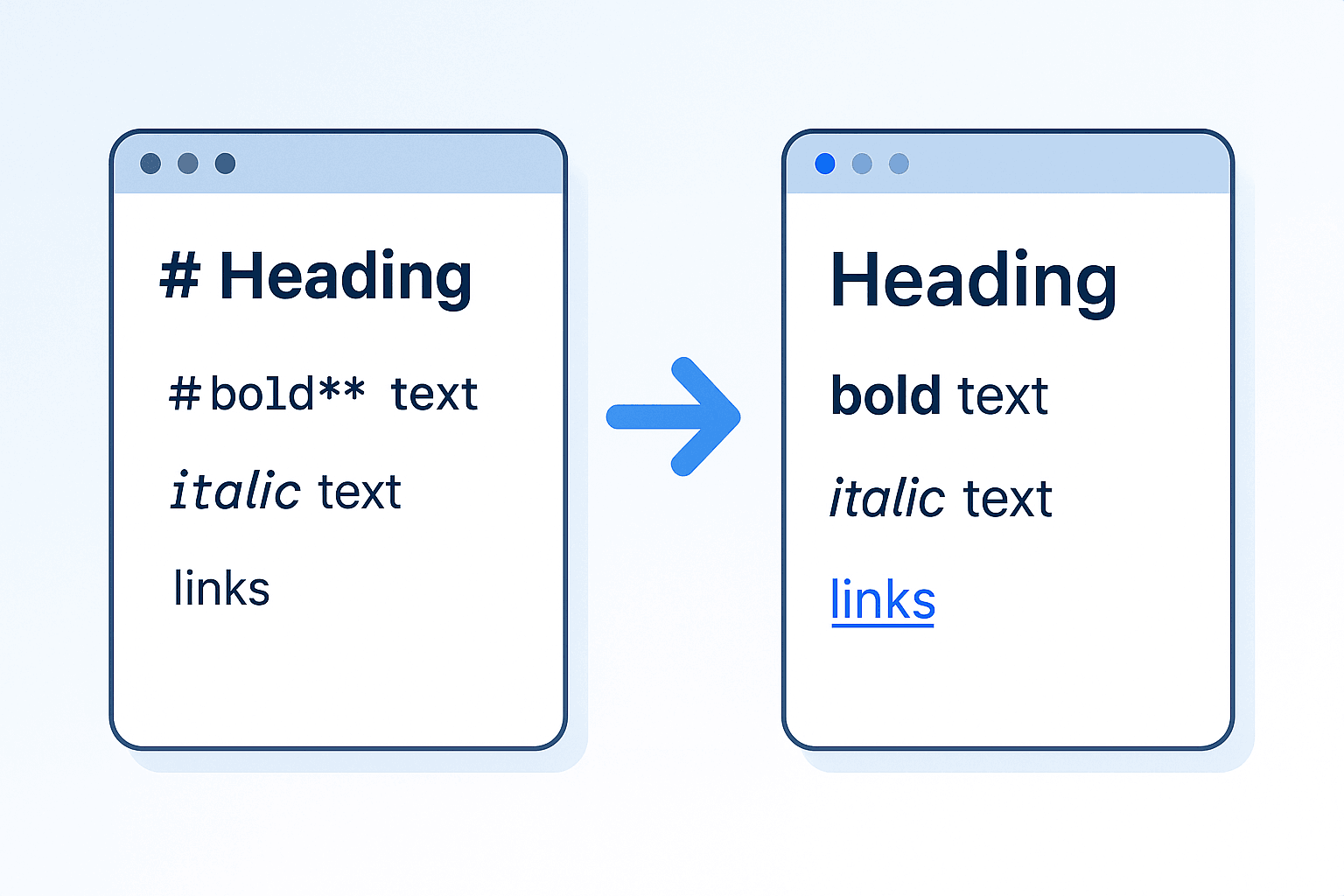
What is Markdown?
Markdown is a lightweight markup language created by John Gruber in 2004. It allows you to write documents in an easy-to-read and easy-to-write plain text format that can be converted into structured HTML documents. The philosophy behind Markdown is to ensure documents remain readable in their source form while being effortlessly convertible to various output formats.
Core Principles of Markdown
Markdown was built on a simple yet powerful idea: enabling writers to focus on content rather than complex formatting. Traditional document editors often trap users in endless formatting adjustments, while Markdown's concise syntax rules make formatting intuitive and efficient.
When you write in Markdown, you're creating a text file that's both human-readable and machine-processable. This dual nature makes Markdown an ideal choice for modern digital writing. Whether it's technical documentation, blog posts, or project descriptions, Markdown delivers consistent, professional formatting.
How Markdown Differs from Other Markup Languages
Compared to HTML, Markdown's syntax is far more straightforward. Where HTML requires complex tag structures like <h1>Heading</h1>, Markdown needs only # Heading. This simplification boosts writing efficiency and lowers the learning curve.
Unlike rich text editors like Microsoft Word, Markdown files are plain text, offering superior compatibility and longevity. You won't face format compatibility issues from software updates or need specific applications to open and edit documents.
Technical Advantages of Markdown
From a technical perspective, Markdown offers several key benefits. First is version control friendliness. Being plain text, Markdown files work seamlessly with version control systems like Git, allowing easy tracking of document history.
Second is platform independence. Markdown files can be created, edited, and viewed on any operating system without proprietary software or licenses, making it perfect for cross-platform collaboration.
Lastly is extensibility. Markdown's basic syntax can be enhanced with various extensions—tables, code highlighting, mathematical formulas, and more—providing flexibility for diverse use cases.
Why Choose Markdown?
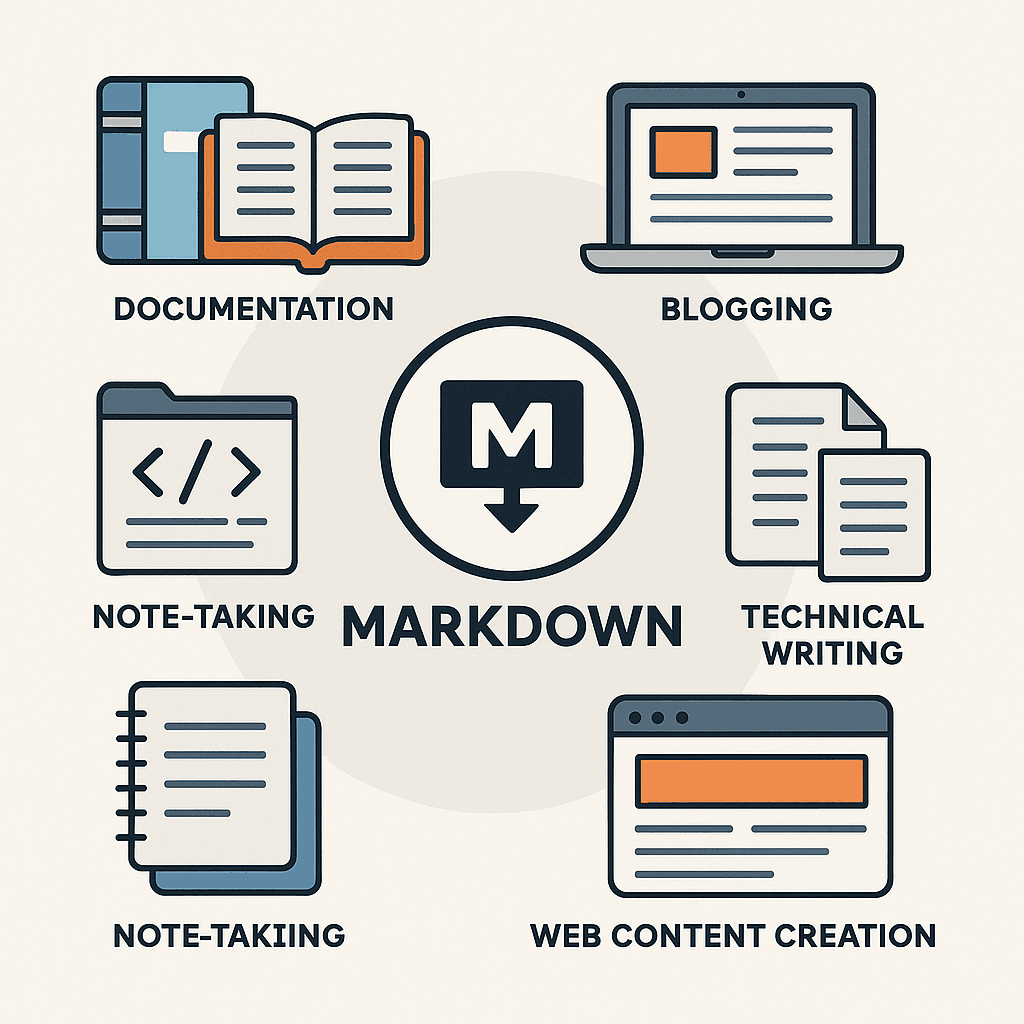
There are compelling reasons to adopt Markdown as your writing tool. In today's digital world, we need a document format that's both simple and powerful enough to adapt to various publishing platforms and scenarios. Markdown is precisely this ideal solution.
Simple, Easy-to-Learn Syntax
Markdown's greatest strength lies in its intuitive syntax. Compared to complex HTML tags or rich text editor buttons, Markdown's rules can be mastered in minutes. Just a few basic symbols let you create richly formatted documents.
This simplicity extends beyond initial learning to daily use. Once familiar with Markdown, you'll find writing flows more smoothly. Formatting becomes natural rather than interrupting your thought process.
Focus on Content Over Formatting
Traditional editors often consume significant time adjusting fonts, colors, spacing, and other visual elements at the expense of content quality. Markdown's predefined style rules let you concentrate on creating content.
This philosophy particularly benefits professionals who write extensively—technical writers, bloggers, researchers—all gain from this content-focused approach. When formatting isn't an obstacle, creativity and ideas flow freely.
Cross-Platform Compatibility
In our multi-device, multi-platform work environment, document compatibility grows increasingly important. As plain text, Markdown files open and edit anywhere—Windows, macOS, Linux, or mobile devices.
This compatibility spans both operating systems and applications. From simple text editors to specialized Markdown tools, from code editors to online platforms, nearly all text processors support Markdown.
Version Control Friendly
For collaborative projects or documents requiring change tracking, Markdown's plain text nature integrates perfectly with version control systems. Tools like Git precisely track every modification, clearly showing a document's evolution.
This proves invaluable for technical documentation, project files, or any collaborative writing effort. Teams can simultaneously edit different sections, merging changes via version control without format conflicts.
Diverse Output Formats
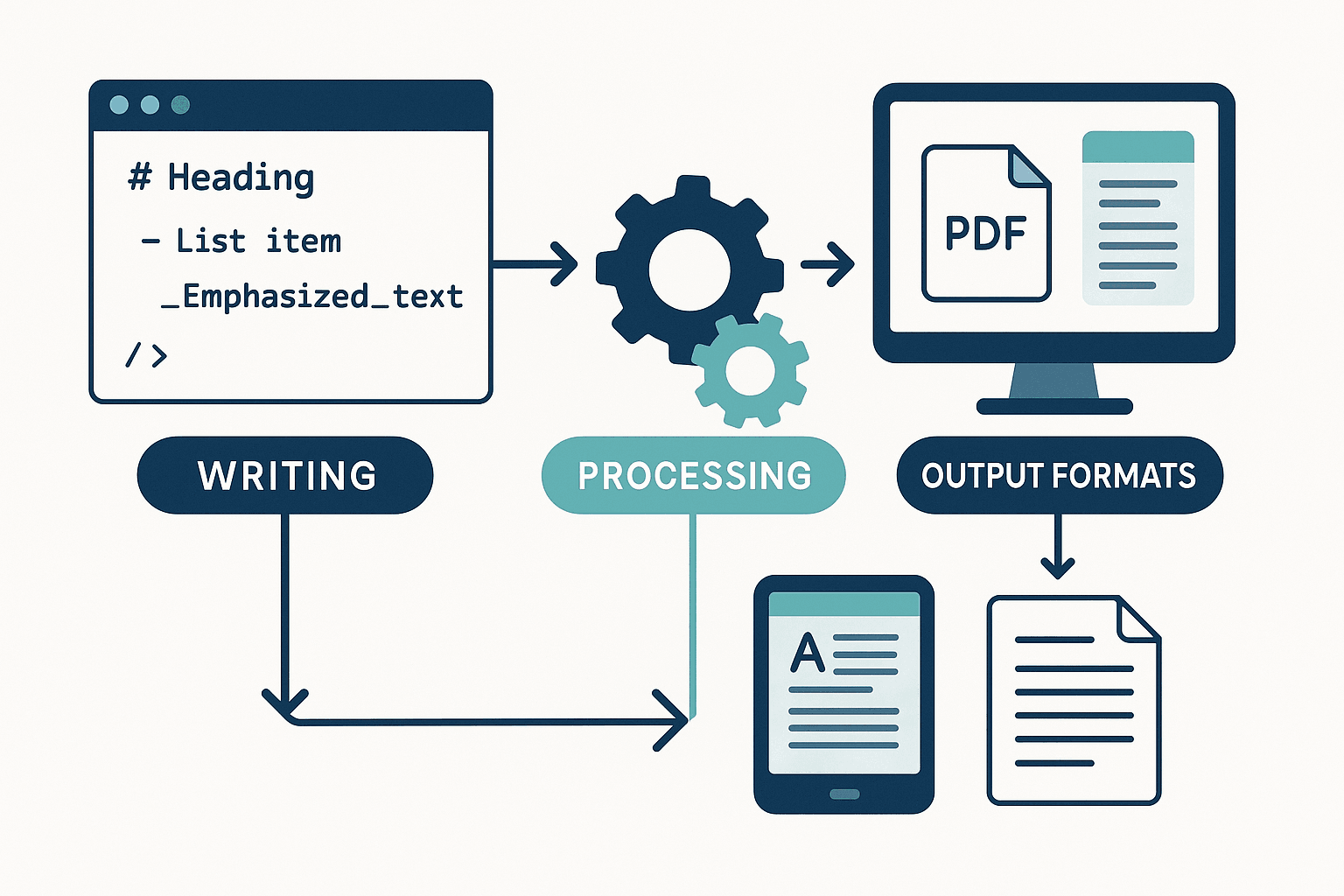
Another major advantage is Markdown's powerful conversion capability. A single Markdown document easily transforms into multiple formats—HTML, PDF, Word documents, presentations, and more. This "write once, publish anywhere" feature dramatically improves efficiency.
Modern Markdown processors offer rich conversion options and style templates. You can choose appropriate output formats and styles for different publishing needs without rewriting or reformatting content. This flexibility makes Markdown ideal for content creators.
Future-Proofing
Technology evolves, software updates, but plain text remains inherently durable. Decades from now, your Markdown documents will still open in any text editor. This future-proofing is crucial for preserving important documents long-term.
By contrast, proprietary formats may become inaccessible due to discontinued support or changing standards. Choosing Markdown means selecting a future-oriented document format that withstands time's test.
Markdown Basic Syntax
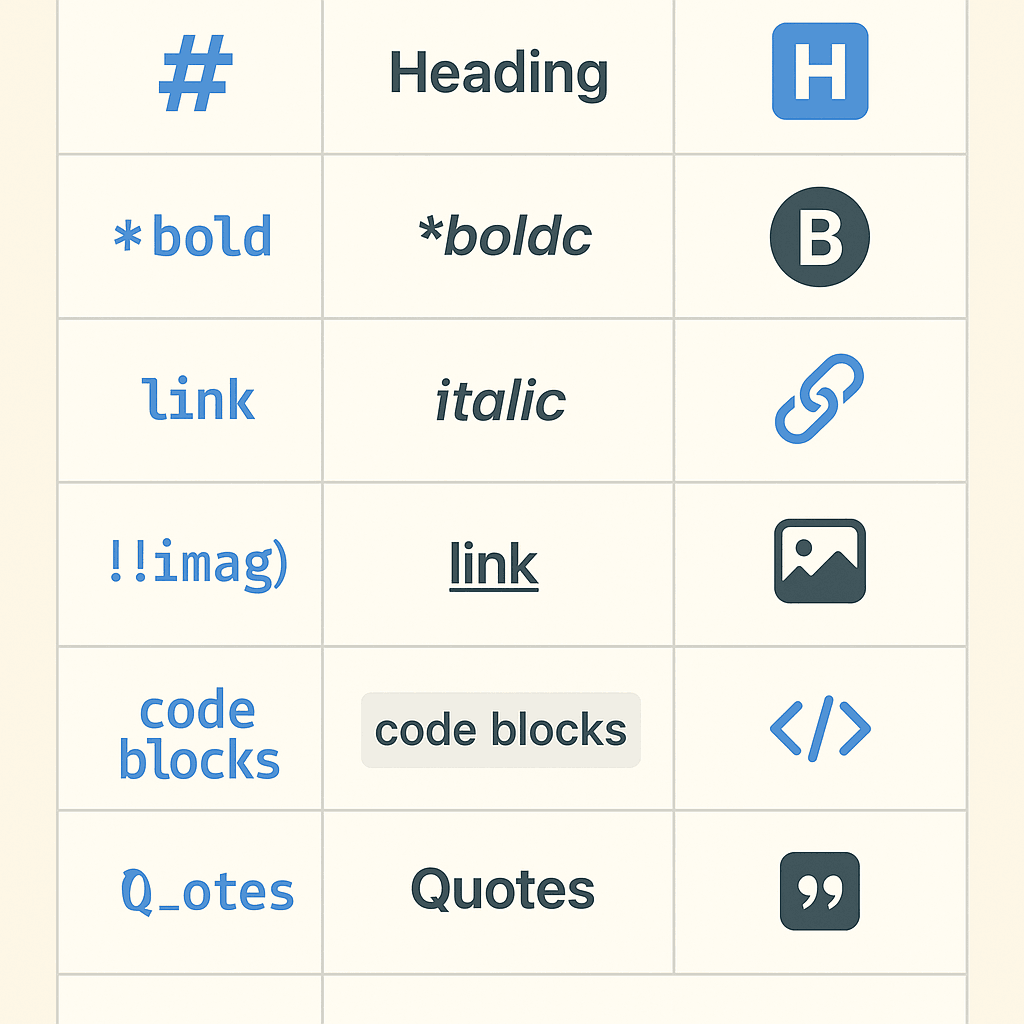
Mastering Markdown's basic syntax is your first step in the Markdown journey. While relatively simple, understanding each element's proper usage and best practices helps create more professional, consistent documents.
Headers
Headers form document structure's foundation. Markdown offers six levels, corresponding to HTML's h1 through h6 tags. The syntax is intuitive: use # symbols, with quantity indicating level.
# Level 1 Header (H1)

## Level 2 Header (H2)

### Level 3 Header (H3)

#### Level 4 Header (H4)

##### Level 5 Header (H5)

###### Level 6 Header (H6)
In practice, follow hierarchical header structure. Use H1 for document titles, H2 for main sections, H3 for subsections, and so on. This hierarchy aids reader comprehension, SEO, and automated processing.
Note: Standard Markdown syntax requires a space after #. While some parsers may tolerate its absence, always include the space for compatibility.
Paragraphs and Line Breaks
In Markdown, paragraphs are fundamental text units. Creating them is simple: separate with blank lines. This approach is more intuitive than traditional rich text editors, as source clearly shows paragraph separation.
This is the first paragraph. It can contain multiple lines,
and as long as no blank lines separate them, they form one paragraph.

This is the second paragraph. Note the blank line above,
which creates a new paragraph.
For line breaks within paragraphs (not new paragraphs), add two spaces at line end before pressing enter. This creates a "soft break," corresponding to HTML's <br> tag.
This is line one.
This is line two, within the same paragraph.
Text Emphasis
Markdown provides multiple text emphasis options: italics, bold, and strikethrough. These formatting choices highlight important content, improving document readability.
Italic text uses single asterisks or underscores:
_This is italic text_
_This is also italic text_
Bold text requires double asterisks or underscores:
**This is bold text**
**This is also bold text**
You can combine formats:
**_This is bold italic text_**
**This is bold text with _italic_ portion**
Strikethrough uses double tildes:
~~This is strikethrough text~~
When choosing between asterisks and underscores, maintain consistency. Many Markdown style guides recommend asterisks for better visibility and easier typing.
Lists
Lists are essential for organizing information. Markdown supports ordered and unordered lists.
Unordered lists use -, +, or * as markers:
- First item
- Second item
- Third item
  - Nested item
  - Another nested item
- Fourth item
Ordered lists use numbers with periods:
1. First item
2. Second item
3. Third item
   1. Nested ordered item
   2. Another nested ordered item
4. Fourth item
Interestingly, actual numbers don't matter in ordered lists. Markdown parsers automatically generate correct numbering. You can use identical numbers (all 1.), simplifying list maintenance when adding/removing items.
1. First item
1. Second item
1. Third item
This proves especially useful for long lists, eliminating renumbering concerns.
Links
Links are crucial for connecting content. Markdown offers several linking methods.
Inline links are most common:
[link text](https://example.com)
[link with title](https://example.com "Link Title")
Reference-style links suit repeated links:
This is a [reference-style link][1].
Here's another [reference-style link][link-ref].

[1]: https://example.com
[link-ref]: https://example.com "Optional Title"
Automatic links display URLs directly:
<https://example.com>
<[email protected]>
When creating links, use descriptive text instead of generic phrases like "click here" or "more info." Good link text should indicate destination without clicking.
Images
Image syntax resembles links but begins with an exclamation mark:


Reference-style images:
![Alt text][image-ref]

[image-ref]: example-image.jpg "Optional Image Title"
Alt text is crucial for accessibility, displaying when images can't load and being read by screen readers. Always provide meaningful alt text describing image content or function.
Code
Markdown supports inline code and code blocks.
Inline code uses backticks:
Use the `console.log()` function to output messages.
Code blocks use triple backticks, optionally specifying language for syntax highlighting:
```javascript
function greet(name) {
  console.log(`Hello, ${name}!`);
}
```
Indented code blocks (traditional method):
    function greet(name) {
        console.log(`Hello, ${name}!`);
    }
Modern Markdown parsers typically support syntax highlighting. Specify language after opening backticks. Common identifiers include javascript, python, html, css, bash, etc.
Blockquotes
Blockquotes highlight quoted content or important information:
> This is a blockquote.
> It can span multiple lines.
>
> Even multiple paragraphs.

> Nested quotes
>
> > This is a nested quote
> >
> > > Deeper nesting
Blockquotes frequently display external content, important notes, or warnings. Technical documentation often uses them for configuration examples or critical tips.
Horizontal Rules
Horizontal rules visually separate document sections:
---
---

---
All three methods create horizontal rules—choice depends on personal preference. Maintain consistency throughout documents.
Escape Characters
Display Markdown syntax characters literally by escaping with backslashes:
\*Not italic text\*
\# Not a heading
\[Not a link\]
Common characters needing escaping: *, _, #, [, ], (, ), !, etc.
Advanced Markdown Techniques
After mastering basics, explore advanced techniques to enhance your Markdown experience. While not part of standard Markdown, many modern parsers support these features.
Tables
Tables effectively organize structured data. Though not in original Markdown, nearly all modern parsers support table syntax:
| Feature         | Markdown   | HTML       | Word     |
| --------------- | ---------- | ---------- | -------- |
| Ease of Use     | ⭐⭐⭐⭐⭐ | ⭐⭐       | ⭐⭐⭐⭐ |
| Compatibility   | ⭐⭐⭐⭐⭐ | ⭐⭐⭐⭐⭐ | ⭐⭐     |
| Version Control | ⭐⭐⭐⭐⭐ | ⭐⭐⭐⭐   | ⭐       |
Use colons to control column alignment:
| Left-aligned | Centered | Right-aligned |
| :----------- | :------: | ------------: |
| Content      | Content  |       Content |
Task Lists
Task lists aid project management and to-do tracking:
- [x] Completed task
- [ ] Incomplete task
- [x] Another completed task
- [ ] Pending task
Footnotes
Footnotes provide supplementary information without disrupting main content flow:
This sentence contains a footnote[^1].

[^1]: Footnote content here.
Definition Lists
Some Markdown extensions support definition lists:
Term 1
: Definition 1

Term 2
: Definition 2a
: Definition 2b
Mathematical Formulas
Many Markdown parsers support LaTeX-style math expressions:
Inline formula: $E = mc^2$

Block formula:

$$
\sum_{i=1}^{n} x_i = x_1 + x_2 + \cdots + x_n
$$
Markdown Use Cases
Markdown's simplicity and flexibility suit various scenarios. Understanding these applications helps maximize Markdown's advantages.
Technical Documentation
Technical documentation is Markdown's primary use case. Whether API docs, user manuals, or project descriptions, Markdown delivers clear, consistent formatting. Major open-source projects like React, Vue.js, and Node.js use Markdown for documentation.
Technical docs require frequent updates, collaboration, and version control. Markdown's plain text nature integrates perfectly with Git, enabling easy change tracking. Its simple syntax lets technical writers quickly create and maintain docs without learning complex tools.
Blog Writing
Increasingly, blog platforms support Markdown, including GitHub Pages, Jekyll, Hugo, and Hexo static site generators. Markdown blogging lets you focus on content rather than complex formatting.
Another advantage is